
In this articles, you can access step‑by‑step interactive walkthroughs of each Reading Assistant report, from our partners at Amira Learning.
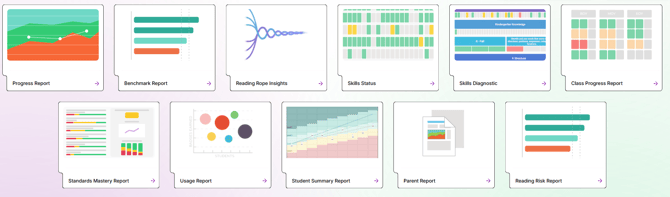
- Progress Report
Growth and projection chart for every student session, scored transcripts & recordings of Assess & Tutor sessions. Printable. - Benchmark Report
View assessment scores across metrics, percentiles, and class comparisons in one view - Reading Rope Report
Whole class and individual student percentiles in each Reading Rope domain, with recommendations. Printable. - Skills Status Report
View mastery of individual reading skills across the whole class. - Skills Diagnostic Report
View mastery of individual reading skills, all domains in one view for an individual student. - Class Progress Report
Allows teachers to view and compare assessment scores, utilizing a variety of metrics, for all students in a class, all in one place. - Standards Mastery Report
Aligns student performance from practice and assessment sessions within the platform to state standards. - Usage Report
Weekly summary of tutoring time, stories read, instructional time, completed activities, and badges earned. - Student Summary Report
View a summary of reading risk, usage, domain mastery, and subtest scores. - Parent Report
Share student reading mastery data in family-friendly report. Printable. - Reading Risk Report
Identify at-risk students who may need further testing, support or intervention using the Dyslexia Risk Indicator (DRI) scores.
Working with a team? Use this Interactive Report Walkthrough document to dive into your Reading Assistant student data together.