Overview
This article explains how to manage and update school assessment date windows. There are three assessment terms: Beginning (BOY), Middle (MOY), and End (EOY) of year assessments. District admins typically set these terms, and school admins can accept or adjust them.
SPIRE Up uses three assessment windows:
- BOY (Beginning of Year)
- MOY (Middle of Year)
- EOY (End of Year)
These windows define when students:
- Take the initial placement test
- Complete oral reading fluency (ORF) assessments
How to set or update Assessment Terms as a District Admin
- Select Users → Organizations → Schools from the drop down menu
- Open the School Details page by clicking the name of the school for which you are setting the terms. (NOTE: School Admins can access the School Details page from the Admin → My School menu.)
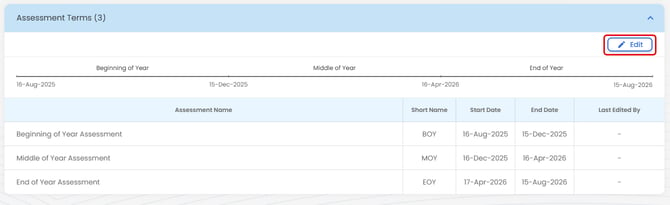
- Scroll to the bottom where the Assessment Terms are available and click Edit
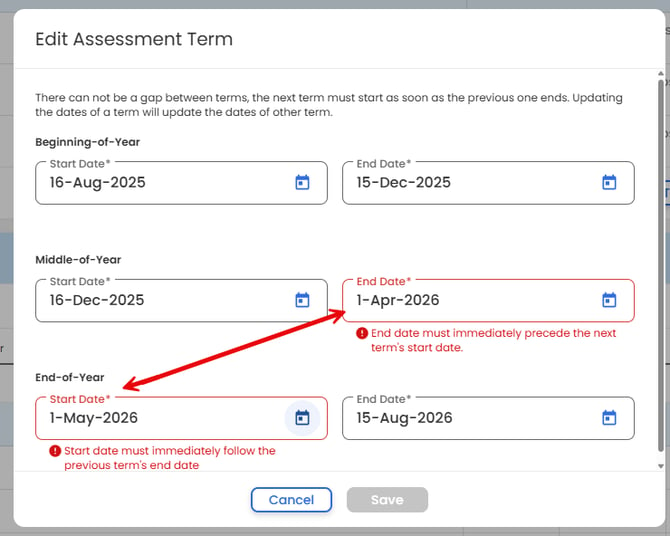
- Select a Start and End date for each term. NOTE: there can be no gap between terms (dates must run continuously from BOY → MOY → EOY)