Want to know who has finished their weekly goals? Visit the Usage Report!
The Usage Report shows the total time spent on tutoring for the current week, the number of stories read, and any badges that the student has earned for the week.
Interactive Usage Report Walkthrough available here
Locate the Usage Report:
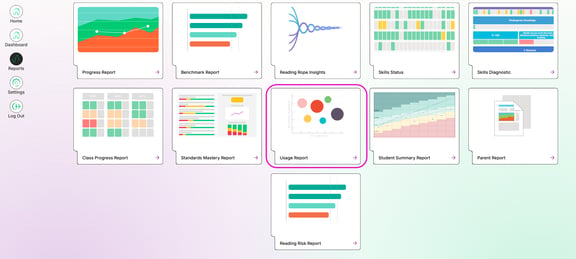
1. From the Growth Dashboard, click Reports at the top left section of the screen
2. Select Usage Report
3. Select a week from the Usage Window
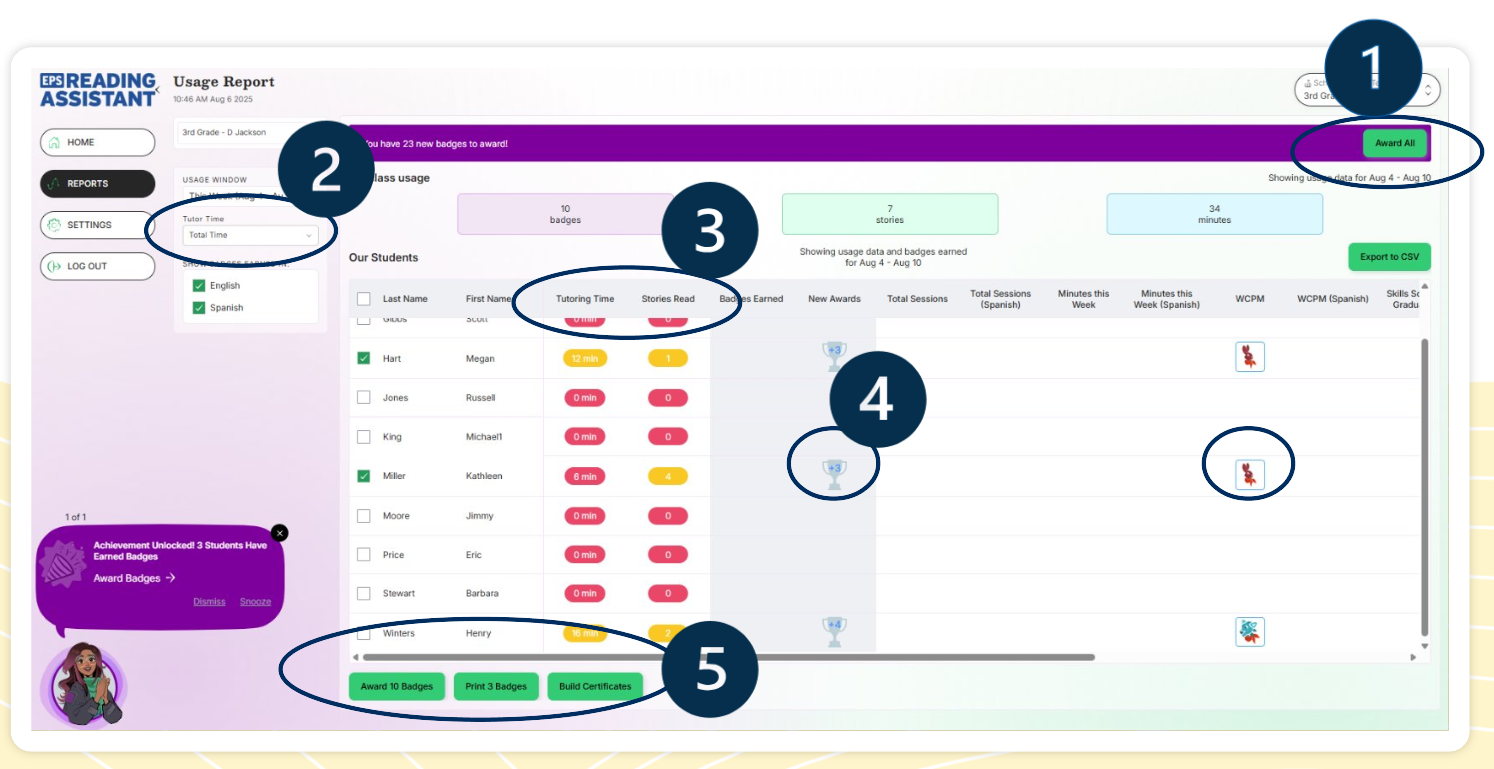
1. Click "Award All" to send all students all awards
2. Select "Total Time" to see all minutes, including minutes spent on incompleted stories. Select "High Quality Time" to see minutes spent only on completed stories.
3. Check Tutoring Time to see how many minutes Amira spends tutoring plus the minutes students spend reading aloud. Click Tutoring Time for a further break down. Also check to see how many stories have been completed. A low number of completed stories is a sign that a student needs encouragement.
4. Click the icons or awards to allow badging buttons to be selected
5. Select award and badging buttons once ready to be distributed. If these buttons are greyed out, click the icons.
Awards and Badges
When an Award is achieved, the teacher sees the attainment on the badging report. To award a badge or print the certificate, simply select the students and click on the badge/s you wish to award (or award all at the top) and then select the option at the bottom you wish to proceed with. Badges are available for both English and Spanish reading.
Award Badges = Students will see this badge on their progress view
Print Certificates = Badges will be awarded and show on the students progress view, and will allow you to print physical certificates for the students.
Build Certificates = Allows you to create your own certificates for students.
There are 5 ways for students to earn badges automatically with Amira plus teachers can create their own badges and certificates
- Total Sessions
- Minutes this Week
- New WCPM Highs
- Skills Scaffold Graduation (Early Reader)
- Fluency Milestone Achieved
- Created by You (The teacher)
English Badges:
Spanish Badges: