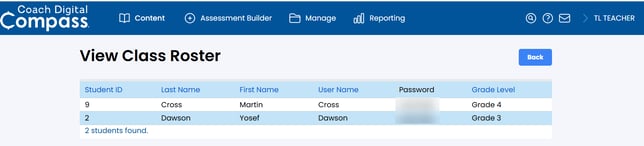
This article describes how rosters can be printed and viewed for administrators and teachers in Coach Digital and Catch Up with Coach.
-
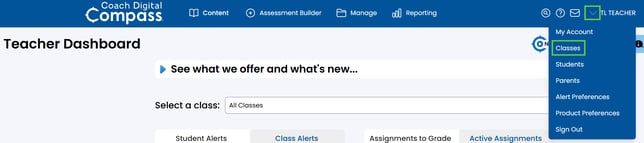
From the navigation bar, select the drop-down menu in the upper right corner and select Classes.
-
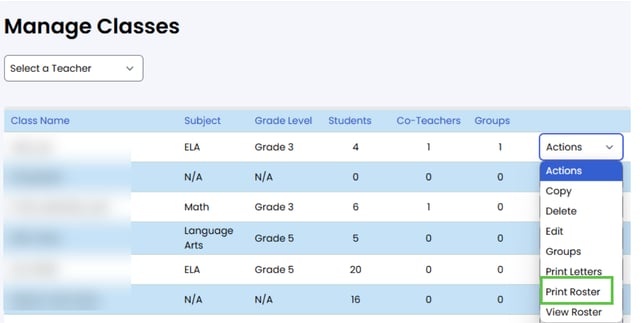
Select the Actions tab at the end of the applicable class row on the Manage Classes page.
-
Selecting Print Roster from the Actions tab will load the print-page menu.
-
Selecting View Roster opens the applicable class list. Tap the column headings to sort the list in ascending or descending order.