Overview:
This article explains how to access and analyze login reports within the SPIRE Up platform. You will learn to view login information for school administrators, teachers and students to understand user activity.
District Technical Admins, School Admins and Teachers have access to the Login Report that provides insight into account login history.
Access the Login report
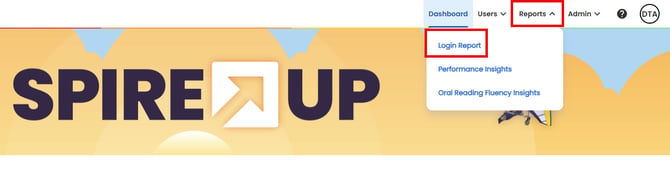
- From the main menu, select Reports > Login Report. The user role determines what information is available, but access and functionality are the same.
-
District Technical Administrators have access to login details for School Administrators, Teachers, and Students across all schools within the district.
- School Administrators can view login details for Teachers and Students within their own school.
- Teachers can view login details for Students in the classes they own.
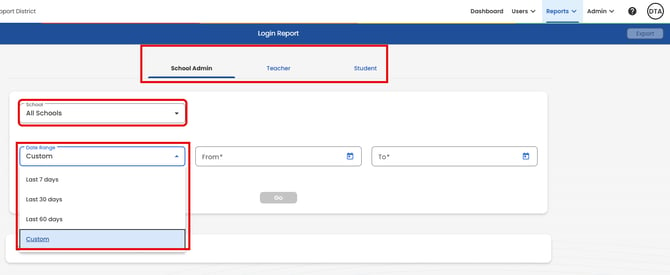
- The screenshot above shows a District Technical Administrator’s view, where they can select the role, school, and timeframe to review login details.
- School Administrators can select both a role and a timeframe.
- Teachers can select a timeframe only for the classes they own.
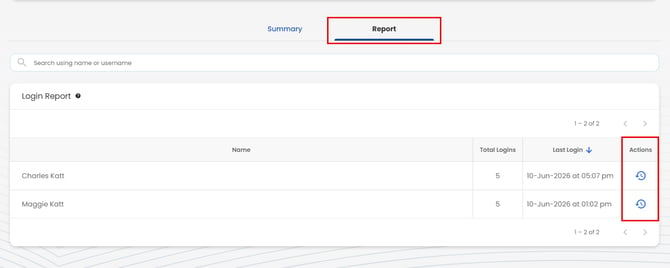
On the Reports tab, click History in the Actions column next to a user to view their login history for the selected timeframe.
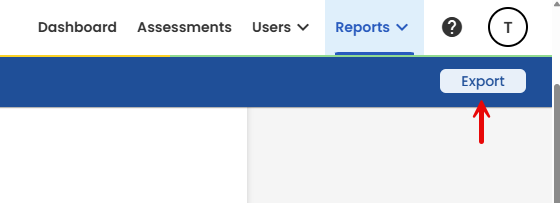
Login report data can be exported to a CSV file.