
Students must have their own account to access Explode the Code Online. The steps below will provide the steps to create the account.
 Instructions
To create a student account, do the following
-
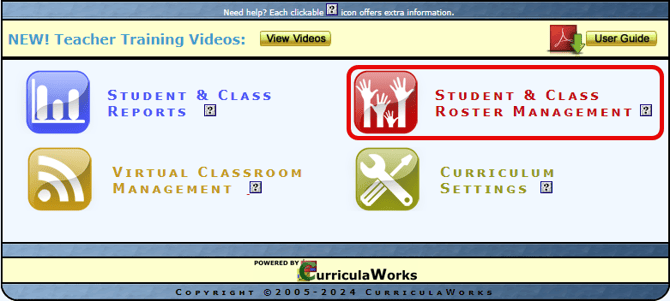
Log into your Admin account and, from the Main Menu page, open the Student & Class Roster Management menu.
-
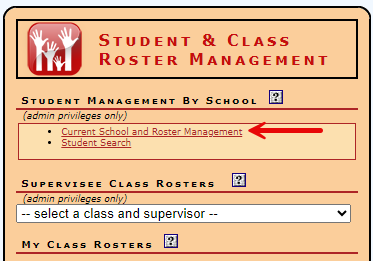
Select Current School and Roster Management.
-
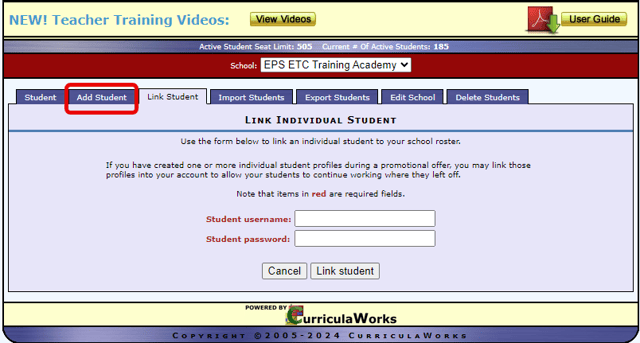
Click the Add Student tab.
-
Enter student information. Only fields highlighted red are required.
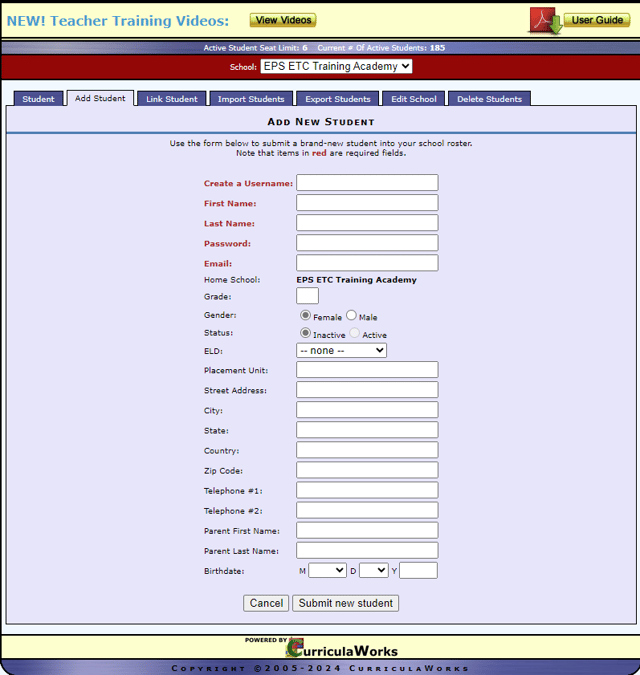
NOTE: The username must be unique to the system. If you enter a name that is already in use, you will need to modify it until it is accepted.