
In some cases, the educational team may decide that the digital benchmark assessment isn’t the best fit for a student. When this happens, you can place the student directly into the early skills scaffold. Follow the steps below to bypass the benchmark and assign the student to early reader skills.
Download: Early Reader Start and Benchmark Bypass
- From the Growth dashboard, click Settings and Assessment Settings.
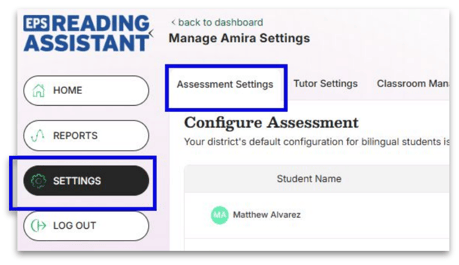
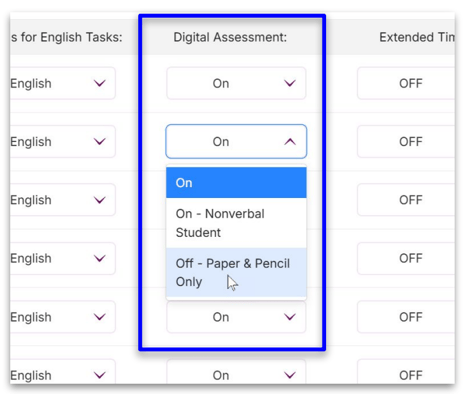
- The Digital Assessment column indicates if a student requires the Paper and Pencil option. If you would like to administer a paper/pencil option in order to enter a score and measure growth, contact your Customer Success Specialist.
- Scroll down and click Save Changes.
- Now go to Settings and choose Tutor Settings.
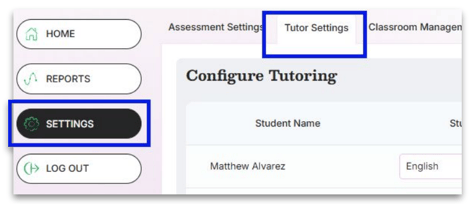
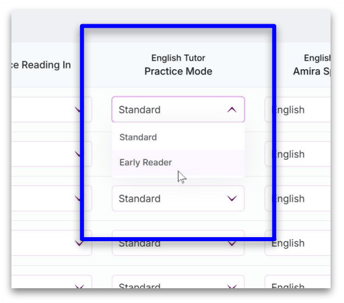
- In the English Tutor Practice Mode column, choose "Early Reader" to focus on foundational skills.
- Scroll down and click Save Changes to complete the bypass.