This does not apply to Clever rostered schools.
When an order is activated, it is tied to a school admin account. Another admin can create additional school admin accounts, and other admins can manage existing admin accounts. A school admin can be created for someone setting up the school or supporting teachers, like an Academic Coach.
Create a New School Admin Account
-
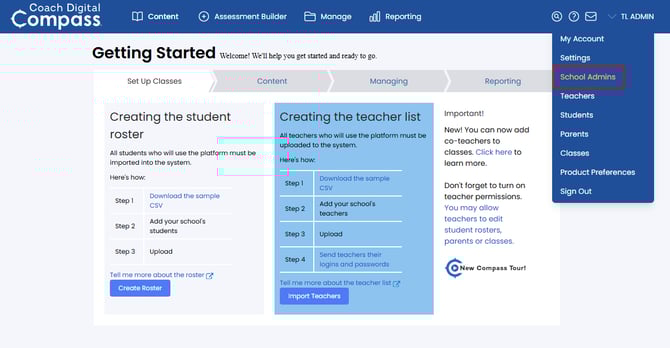
Use the main drop-down menu at the top right to select School Admins.
-
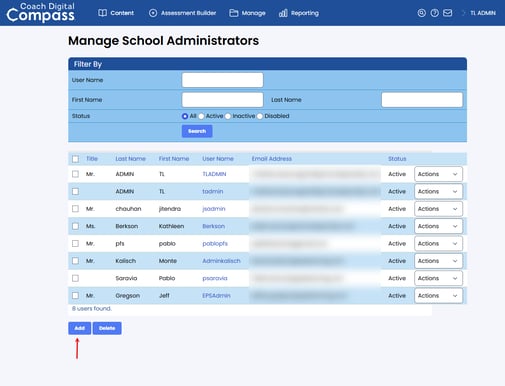
Click the Add button.
-
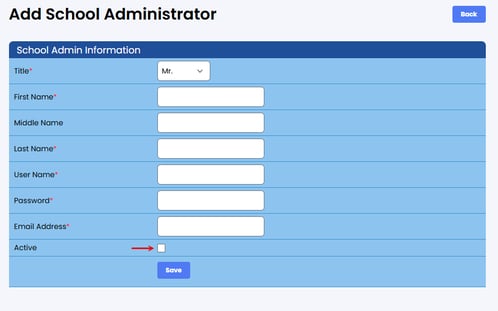
Select a Title and fill in the required fields which are indicated by a red asterisk*. Check the Active box and then select Save to create the account.
Managing Existing School Admin Accounts
-
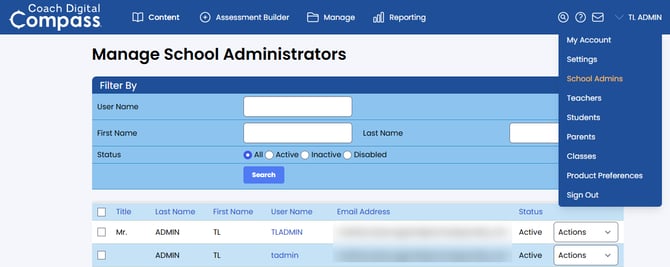
Use the main drop-down menu at the top right to select School Admins.
-
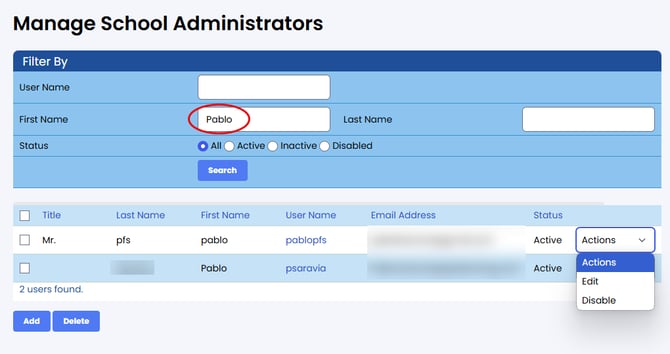
If you have many school admin accounts or only want to view a particular status, use the filters at the top of the Manage School Administrators page. You can select the User Name to view the school administrator, and the actions drop-down menu will allow you to edit or disable/activate the account.
-
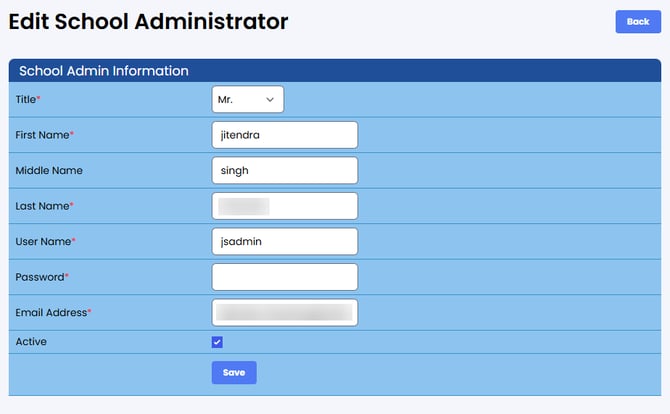
On the Edit School Administrator page, the password is hidden.
-
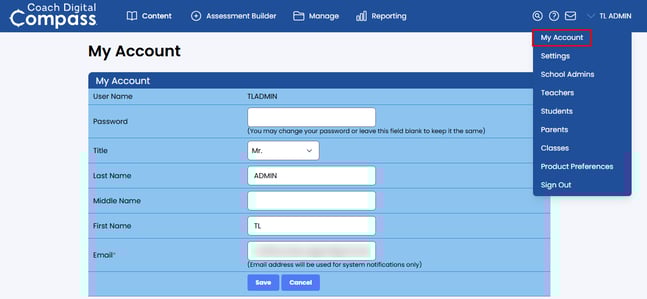
The Actions drop-down menu is not available for your own account. Instead, use My Account from the main drop-down menu.