
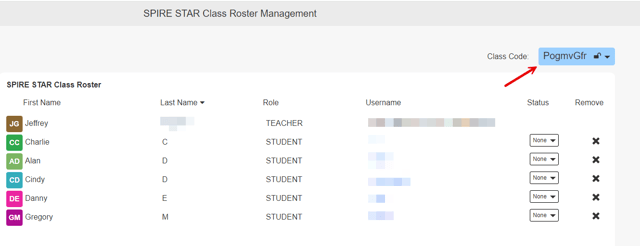
A teacher can be invited to co-teach a class by joining the class created by another teacher. To grant co-teaching access, the owner of the class must provide the class code to the co-teacher. The unique Class Code can be found in the upper-right on the Class Roster page.
 Instructions
-
The teacher who owns the class needs to share the Class Code with the co-teacher. The Class Code can be found on the Class Roster page.
-
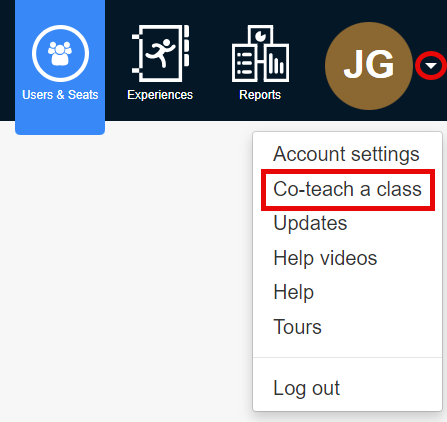
The Co-teacher then logs into their account and clicks the menu to the right of their initials. Select Co-teach a class, enter the Class Code provided by the owner of the class and click Join Class.
-
Confirm that the class is the one you wish to join and click Join Class.
A Co-teacher cannot see any data created prior to their joining the class.
You cannot co-teach a class with a teacher in a different district (both teachers must be in the same district with valid school email domains).