Assign a Course to a Class
As a teacher or admin, you can assign courses to classes. Assigning a course to a class makes the content available for the class. The system also recognizes the class as related to the course family.
-
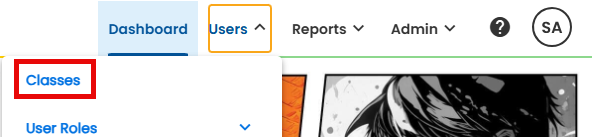
To begin, use the global navigation bar to select USERS > CLASSES
-
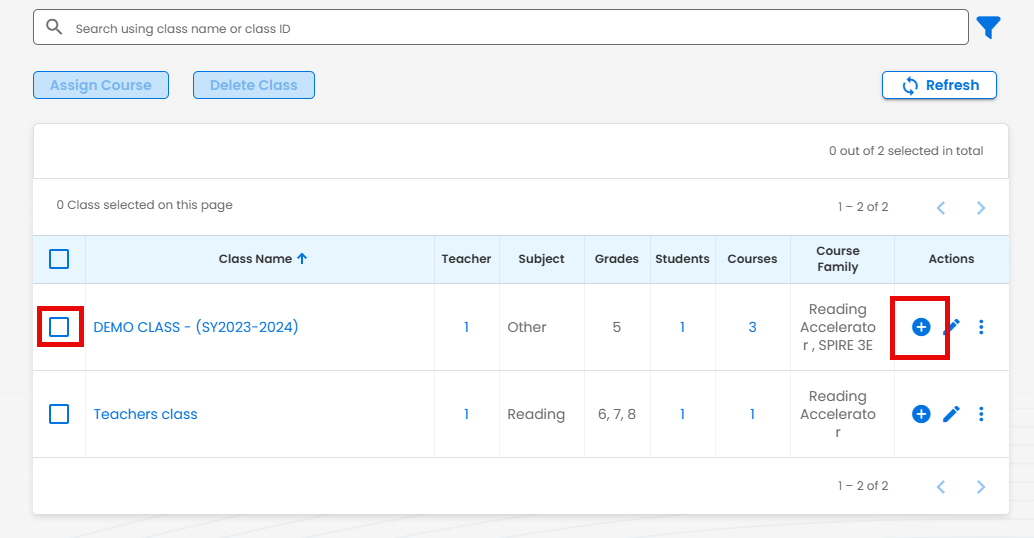
Select the box next to the class name or the Plus or Add icon for the desired class on the Class Listing page
-
Select Assign Course
-
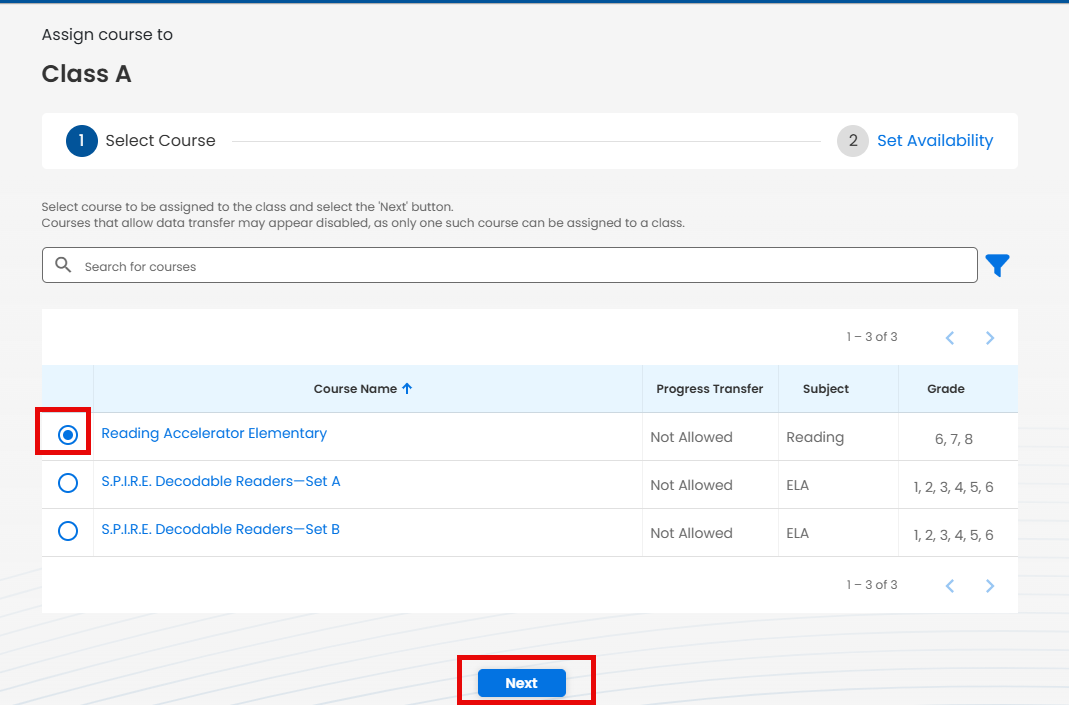
A list of available unassigned courses will be displayed. The list can be searched or filtered to find specific courses. Use the radio button next to the course name to select the course and then select NEXT.
-
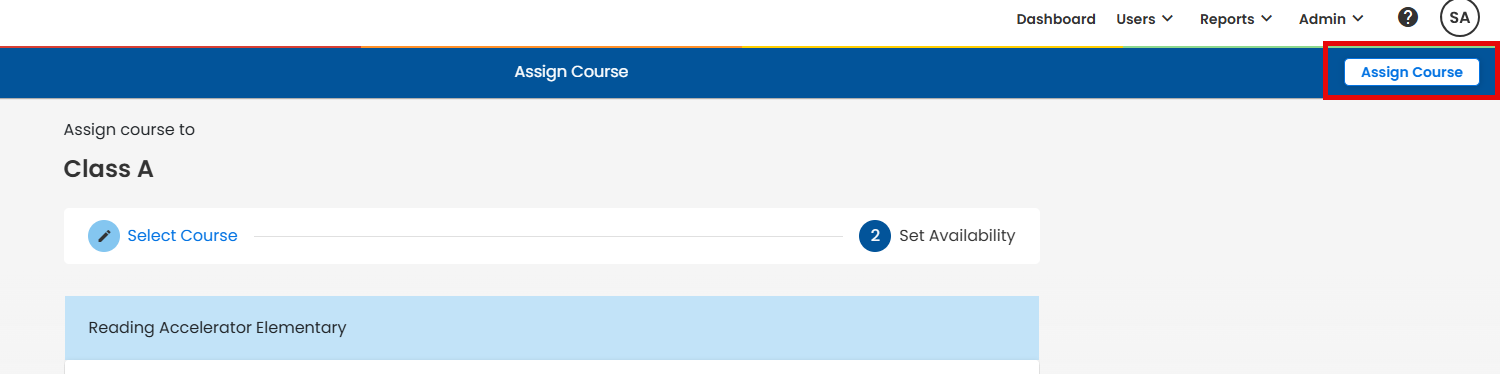
Select the Assign Course button to finish assigning it to the class.